
Practical recall guide
How to find model numbers, lot codes, and UPCs on baby products
A product name is rarely enough to confirm a recall. Notices often specify a model number, lot code, UPC, manufacture date, style, size, or seller. Here is where to look - and which details matter for common baby and child products.
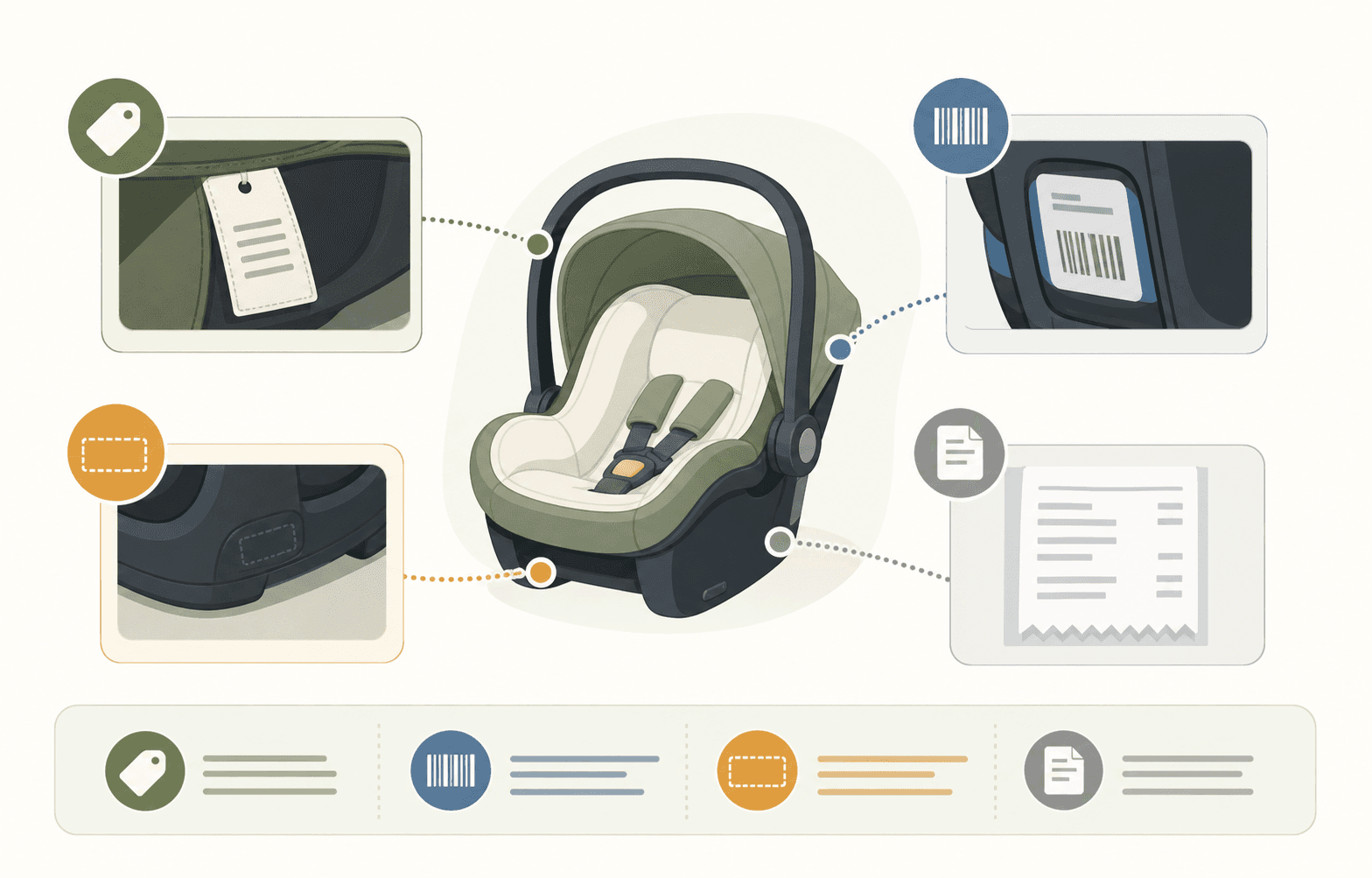
Find
The product label, package code, or sewn-in tag
Record
Model, lot, UPC, date, size, and seller details
Keep
Clear photos and purchase records until the remedy is complete
Durable baby gear
Check permanent labels on the underside, back, frame, base, battery compartment, or beneath removable padding.
- Car seats and bases: Record the model number, serial number, and manufacture date. Check the seat and base separately.
- Strollers, high chairs, cribs, and bassinets: Look under the seat, frame, rail, or base.
- Swings, monitors, and other powered products: Check the rear panel, battery compartment, plug, or power adapter.
Formula, food, and medicine
Lot and date details are commonly printed or stamped rather than included on the main label. Check the lid, bottom, neck, side seam, and outer carton before discarding anything.
- Record the lot or batch code exactly, including letters, spaces, and punctuation.
- Save the UPC, package size, and best-by or expiration date.
- Keep the container until you know whether the remedy requires its code or a photo.
Clothing and sleepwear
Look at sewn-in fabric, care, and tracking labels. Similar colors or prints may have different style numbers or production details.
- Compare the style number, size, RN number, and tracking code when listed.
- For sets, inspect each piece because labels may differ.
- Marketplace notices may also name a specific seller or sale period.
Packaging and purchase records
Packaging is often the best source for a UPC, package size, color, or bundle name. Receipts and order emails can confirm the retailer, third-party seller, order date, and exact listing title.
- The UPC is the number printed beside or below the barcode.
- A retailer SKU or ASIN is not necessarily the same as a UPC or model number.
- Tracking+ can add eligible purchases from connected Gmail or Outlook purchase-related emails, helping preserve purchase details.
Save a clear record
Photograph the full label and a wider view showing where it appears on the product. In Baby Recall Tracker, you can save products manually, by barcode, or from a packaging photo, then add verified details such as model, lot, color, size, and purchase date. Possible matches are a prompt to review the official notice, which provides the final affected-product criteria and remedy.
Examples
How the details change by product
Baby Recall Tracker
Keep the details ready before the next recall
Parents can save verified product details and label photos in Baby Recall Tracker for easier comparison with possible recall matches.